
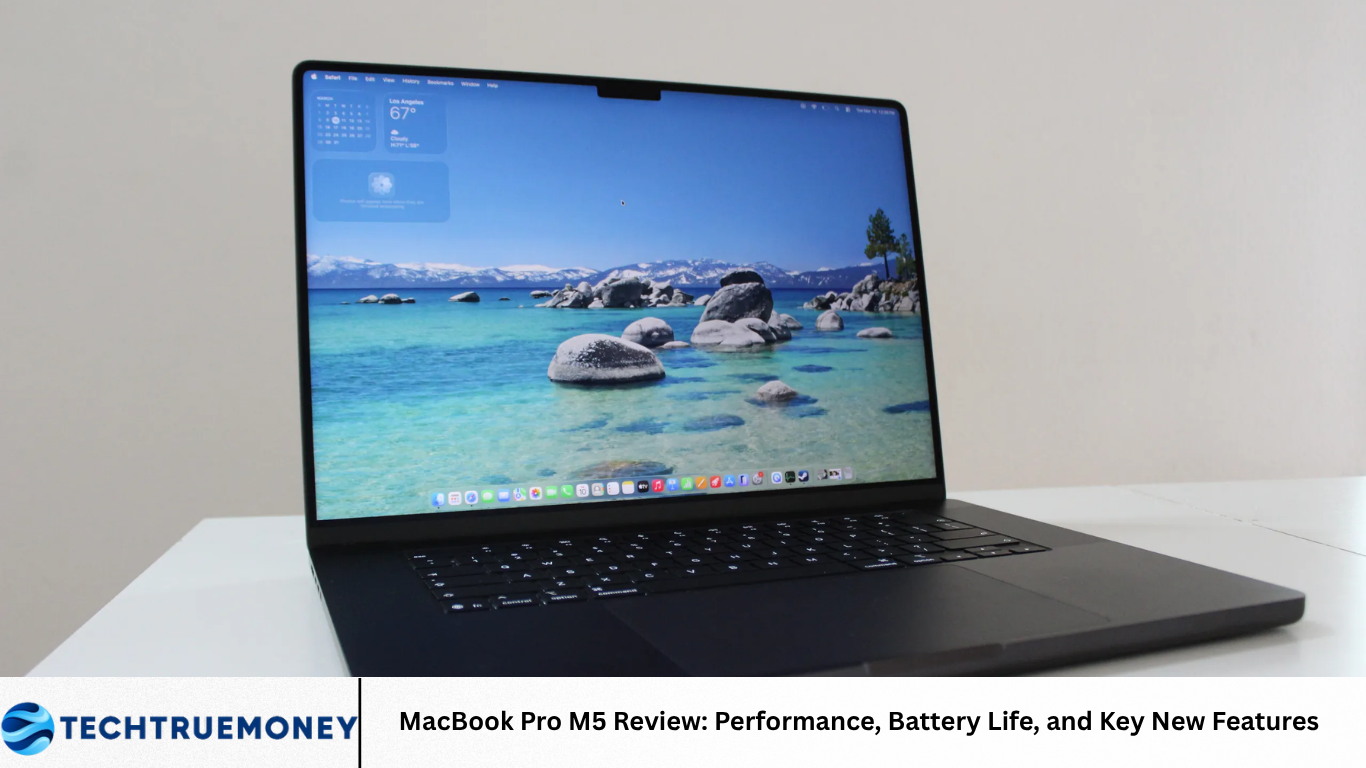
The MacBook Pro remains one of Apple’s most important laptops for professional users, creators, developers, and people who want a powerful computer for demanding everyday work. With the M5 generation, Apple continues its move toward custom silicon designed to combine strong performance with improved power efficiency.
The MacBook Pro M5 is aimed at users who need more than a basic laptop can provide. Video editing, software development, graphic design, music production, photography, artificial intelligence workloads, and demanding multitasking can all require substantial computing power. The M5 platform is designed to handle these workloads while maintaining the portable nature of the MacBook Pro.
M5 Chip Performance
The M5 chip is the main reason to consider the latest MacBook Pro generation.
Apple’s custom processors combine CPU, graphics, memory technologies, and specialized acceleration into a tightly integrated platform. This approach allows macOS and Apple’s applications to take advantage of the hardware more efficiently.
For everyday activities such as web browsing, document editing, video calls, and media consumption, the M5 provides more than enough performance. The bigger difference becomes noticeable during demanding workloads that require sustained processing power.
Users working with large projects can benefit from faster processing and improved responsiveness when applications are performing complex operations.
Faster Everyday Performance
A professional laptop needs to feel fast during normal use, not just during benchmark testing.
The MacBook Pro M5 is designed to provide quick application launches, smooth multitasking, and responsive system navigation.
Opening several applications at once is common for professionals. A user might have a browser, email client, document editor, messaging application, design software, and cloud tools running simultaneously.
The M5 platform is built to handle this kind of workload without making the system feel unnecessarily slow.
Performance for Creative Professionals
Creative professionals are among the main audiences for the MacBook Pro.
Video editors, photographers, graphic designers, musicians, and other creators often work with large files and demanding applications.
Video editing can be particularly intensive because high-resolution footage requires significant processing power. Exporting videos, applying effects, rendering projects, and working with multiple video tracks can place heavy demands on a computer.
The MacBook Pro M5 is designed to provide the performance needed for these professional workloads while maintaining a portable form factor.
Video Editing
Video editing is one of the areas where Apple’s silicon platform can be especially useful.
Professional editors may work with high-resolution footage, multiple layers, effects, color correction, and audio tracks.
Hardware acceleration can improve performance in supported applications, making editing and exporting more efficient.
For professionals who regularly work with video, the M5 MacBook Pro can offer a strong balance between performance and portability.
Photography and Design
Photographers and designers also benefit from a powerful processor and high-quality display.
Large photo files can require significant memory and processing resources, particularly when users work with hundreds or thousands of images.
Design applications can also become demanding when projects contain complex graphics, multiple layers, effects, and high-resolution assets.
The M5 platform provides the processing capability needed for these workloads while the MacBook Pro’s display gives creators a detailed workspace.
AI and Machine Learning Workloads
Artificial intelligence has become an increasingly important part of modern computing.
The M5 platform includes hardware designed to accelerate certain AI-related tasks, allowing supported applications to perform machine learning operations more efficiently.
On-device AI can be useful because it allows some tasks to run directly on the computer instead of relying entirely on remote servers.
This can improve responsiveness and may also provide privacy advantages for certain workloads.
As developers create more AI-powered applications, dedicated hardware for machine learning is likely to become increasingly important.
Battery Life
Battery life is one of the biggest advantages of Apple’s custom silicon approach.
Power efficiency allows the MacBook Pro to deliver strong performance without consuming as much energy as some traditional high-performance laptop platforms.
For users who travel frequently or work away from a power outlet, long battery life can be more important than small differences in benchmark performance.
Real-world battery life depends on how the laptop is used. Web browsing and document editing generally consume less power than video rendering, gaming, or other intensive workloads.
Battery Life During Professional Work
Professional users often need to work for several hours away from a desk.
A laptop that can maintain useful battery life during normal productivity tasks provides greater flexibility.
The MacBook Pro M5 is designed to support extended work sessions while balancing performance and energy consumption.
Heavy workloads can still reduce battery life considerably, but the efficiency of Apple silicon helps make the laptop practical for mobile professional work.
Charging
Fast and convenient charging is another important part of the laptop experience.
A professional laptop may be used throughout the day, and users often need to recharge between meetings, travel, and work sessions.
Apple’s charging system is designed to provide a practical balance between charging speed and battery management.
The ability to quickly add battery capacity can be particularly useful for people who work in different locations.
Display Quality
The display remains one of the strongest features of the MacBook Pro.
Professional users often spend many hours looking at their laptop screen, making brightness, contrast, color accuracy, resolution, and motion performance important.
A high-quality display improves everything from document work to video editing.
For photographers and designers, accurate colors are particularly important because the screen needs to represent visual content consistently.
Display for Creators
Creative professionals require displays that can show fine details and a wide range of colors.
The MacBook Pro’s display is designed for professional visual work while also providing an excellent experience for everyday activities.
Watching movies, editing photographs, reviewing designs, and browsing the web all benefit from a high-quality screen.
The combination of sharp resolution and strong contrast makes the display useful for both work and entertainment.
Design and Build Quality
Apple has maintained a recognizable MacBook Pro design that focuses on durability and professional use.
The laptop uses a premium construction and is designed to withstand regular travel and daily work.
Portability is important because professional users may carry their computers between offices, studios, homes, and travel locations.
The MacBook Pro is not the lightest laptop in Apple’s lineup, but the additional hardware and cooling capabilities are part of what allow it to handle demanding workloads.
Keyboard and Trackpad
A professional laptop needs comfortable input devices because users may spend hours typing and navigating software.
The MacBook Pro’s keyboard provides a familiar layout designed for long working sessions.
The large trackpad also makes navigation convenient, especially for users who do not regularly use an external mouse.
Small details such as keyboard feel, trackpad responsiveness, and palm-rest comfort can have a significant impact on productivity over time.
macOS Experience
Hardware performance works best when combined with optimized software.
macOS is closely integrated with Apple’s hardware, allowing the company to control both the operating system and processor architecture.
This integration can improve system responsiveness and application efficiency.
MacBook Pro users also benefit from Apple’s ecosystem, which allows the laptop to work closely with compatible iPhone, iPad, and other Apple devices.
Multitasking
Modern professionals often need to run many applications simultaneously.
A MacBook Pro can serve as a central workstation for communication, research, content creation, file management, and productivity.
The M5 platform provides the performance necessary for demanding multitasking.
Memory configuration is also important. Users who regularly work with large creative projects or multiple professional applications should consider choosing enough memory for their workloads.
Storage Options
Storage is another major consideration when buying a professional laptop.
Creative projects can consume large amounts of space, particularly when working with high-resolution photographs and video.
More storage provides additional room for applications, projects, media files, and local backups.
Users who work with large files should consider their storage needs before purchasing because upgrading internal storage later may not be possible.
Ports and Connectivity
Professional users often need more than a single connection.
External displays, storage drives, cameras, audio equipment, networking accessories, and other devices may need to connect to a laptop.
The MacBook Pro includes a selection of ports designed for professional workflows.
Wireless connectivity also remains important for cloud services, online collaboration, streaming, and communication.
External Displays
Many professionals use a laptop with one or more external displays.
A powerful processor can support more demanding multi-display workflows depending on the specific MacBook Pro configuration and supported hardware.
External monitors can provide additional workspace for video editing timelines, coding environments, design tools, and productivity applications.
This makes the MacBook Pro suitable for both mobile and desktop-style workflows.
Cooling and Sustained Performance
High performance creates heat, which means thermal management is important.
The MacBook Pro uses active cooling to manage demanding workloads.
This is particularly useful during long video exports, software builds, rendering sessions, or other tasks that require sustained processing.
A laptop that can maintain performance over longer periods is more useful for professionals than one that is fast only for short bursts.
Gaming Performance
Gaming is not the primary focus of the MacBook Pro, but Apple’s graphics improvements have made Macs more capable for certain games.
The M5 platform provides strong graphics performance for compatible software.
However, game availability on macOS remains an important consideration.
Users who primarily want a gaming laptop may find Windows-based alternatives with broader game support more suitable.
Software Compatibility
The transition to Apple silicon has changed how Mac applications are developed and optimized.
Many major applications now support Apple’s processor architecture directly, while compatibility technologies can help older applications continue to run.
For most users, this transition is increasingly seamless.
However, professionals should still check whether their most important specialized applications, plugins, and tools are fully compatible before upgrading.
Security
Security is another important advantage of Apple’s integrated hardware and software approach.
The MacBook Pro includes multiple security technologies designed to protect user information and system access.
Professional users often store confidential documents, customer information, financial data, and intellectual property on their computers.
Strong device security is therefore essential for businesses and individuals.
Regular software updates also help protect against newly discovered security problems.
Privacy
Privacy is increasingly important as laptops become more connected to cloud services and AI tools.
Apple emphasizes privacy as part of its broader software strategy.
For users, it is important to understand which applications have access to personal information, files, microphones, cameras, and other system resources.
As AI becomes more integrated into operating systems, privacy controls will become even more important.
MacBook Pro M5 for Developers
Developers are another major group that can benefit from the MacBook Pro M5.
Software development can involve large codebases, virtual environments, local servers, emulators, containers, and multiple applications running at the same time.
A powerful processor and sufficient memory can make development workflows more comfortable.
The Unix-based foundation of macOS also makes the platform popular among many programmers.
AI coding tools can further benefit from the M5 platform when compatible workloads are processed locally.
MacBook Pro M5 for Students
The MacBook Pro may be more powerful than necessary for many students, but it can be useful for students studying demanding subjects.
Computer science, engineering, design, film production, photography, and other creative fields can benefit from stronger hardware.
For students primarily using web applications, documents, presentations, and video calls, a less expensive MacBook may provide better value.
MacBook Pro M5 for Business Users
Business professionals can benefit from fast performance, long battery life, strong security, and reliable software.
The laptop can handle common business tasks while also providing enough power for more demanding work.
Its portability makes it suitable for employees who move between meetings, offices, and home environments.
Businesses also need to consider total cost, software compatibility, management requirements, and accessories before deploying the laptop across an organization.
Long-Term Value
A premium laptop should be evaluated over several years rather than only on its launch specifications.
Strong performance can help a computer remain useful as applications become more demanding.
Software support is also important because regular operating system and security updates can extend the useful life of the device.
The MacBook Pro M5 is positioned as a long-term professional machine rather than a basic computer intended only for light tasks.
Who Should Buy the MacBook Pro M5?
The MacBook Pro M5 makes the most sense for users who regularly need strong processing power, long battery life, a premium display, and professional software support.
Creative professionals, developers, researchers, business users, and demanding everyday users can benefit from its capabilities.
People who mainly browse the web, watch videos, write documents, and use basic applications may not need this level of performance.
For those users, a more affordable laptop could provide better value.
Upgrade Considerations
Existing MacBook Pro owners should consider their current performance before upgrading.
If an older MacBook already handles daily workloads comfortably, the benefits of a new generation may not justify the cost.
The upgrade becomes more attractive for users whose existing machine struggles with demanding software, large projects, battery life, or newer AI workloads.
The decision should therefore be based on real-world needs rather than the desire to own the newest processor.
The Future of Apple Silicon
Apple’s move toward custom silicon has changed the company’s Mac strategy.
Future generations are likely to continue improving CPU performance, graphics capabilities, AI processing, energy efficiency, and integration with macOS.
As AI becomes a larger part of everyday computing, specialized processing will become increasingly important.
The MacBook Pro provides Apple with a platform for introducing these capabilities while maintaining control over hardware and software.
Overall Experience
The MacBook Pro M5 is designed as a balanced professional laptop rather than a device focused on one specific feature.
It combines high performance with battery efficiency, a premium display, strong software integration, and a durable design.
Its greatest strength is the way these features work together.
For professionals, having a laptop that can handle demanding tasks while remaining portable can make a meaningful difference in daily productivity.
Frequently Asked Questions
What is the MacBook Pro M5 designed for?
The MacBook Pro M5 is designed for demanding users who need strong performance for professional applications, creative work, software development, AI workloads, and advanced multitasking.
Is the MacBook Pro M5 good for video editing?
The MacBook Pro M5 is well suited to video editing because its processor, graphics capabilities, and software optimization can handle demanding creative workflows.
How is the battery life on the MacBook Pro M5?
Battery life depends on the workload, but Apple’s custom silicon is designed to provide strong performance while maintaining power efficiency. Less demanding activities generally consume less battery than intensive rendering or editing.
Is the MacBook Pro M5 good for students?
It can be an excellent choice for students in demanding fields such as programming, engineering, design, photography, and video production. Students with basic computing needs may not require such a powerful machine.
Should you upgrade to the MacBook Pro M5?
Upgrading makes the most sense for users whose current Mac struggles with performance, battery life, demanding applications, or newer AI workloads. Users with a recent MacBook Pro that already meets their needs may have less reason to upgrade.
Conclusion
The MacBook Pro M5 continues Apple’s strategy of combining powerful custom silicon with efficient software and premium hardware. Its performance makes it suitable for demanding workloads such as video editing, software development, graphic design, photography, and AI-related tasks.
Battery efficiency remains an important advantage, allowing users to work for extended periods without constantly searching for a power outlet. The high-quality display, comfortable keyboard, responsive trackpad, strong security, and professional-focused design further strengthen the overall experience.